
Hey folks, for the first time, the Digital Artistry Workshops at Siggraph will feature a blender session, on Sunday, August 7th at 2:30, some info can be found on the siggraph page, and more details are available here. I’m quite excited to be teaching this course, an 1+1/2 session intended to introduce people from other software to Blender, focusing primarily in my strengths (rigging). I hope it’ll be fun, we’ll try to do fun setups for atypical (and some typical) animation needs. The other sessions look quite interesting too.


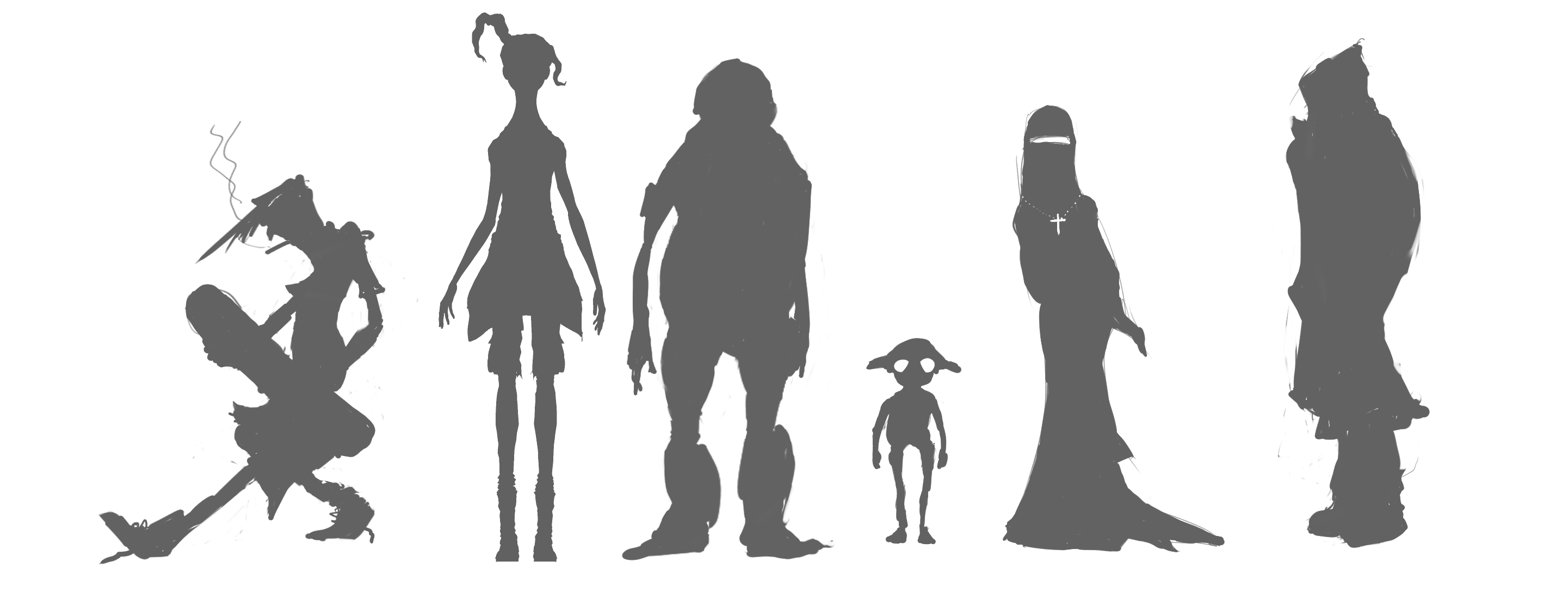
There’s a remote, but non zero chance, that we’ll be able to pull off other denizens of the subway for certain shots in the movie. Thinking about design got me wanting *not* to have other characters with ‘gilgaportions’ but maybe populating the world with stylised characters that have their own uniqueness and could fit into her world. My first little attempt is drawing some basic silhouettes next to hers:
 Sad day on Friday saying goodbye to Dimetrii, who just finished his 3 month internship and is returning home- but not leaving the project, as he will stay on through the animation and lighting/compositing phases.
Dimetrii took some modelling by Jonathan and Kursad and myself as concept art, and then created amazing sculpted iterations and then the final meshes for the film. He did this for Gilgamesh and two of the cockroaches, then did the necessary R+D to build Gilgamesh’s hairstyle with Blender’s sometimes stubborn particle hair. He did render-tests in Blender Internal and cycles, some of which have been posted on this log. He’s an amazing modeller, probably the best or among the best that I’ve known. Happily he’ll continue to work on the project from home, and we can have a reunion at the blender conference.
Hello folks
Tube currently has 6 animators working on shots, with a few more to join if my blackmaiconvincing tactics work ;). Some of these talented folks are new to blender, some have even written books on the subject. To ease the pain of transition, I’ve been recording little video tutorials to help them get into the gilga rig as quickly as possible. I don’t see a reason to keep this stuff private, so I’m going to be publishing them on the blog for all to see. When the project is finished they might become part of the official documentation.
So now: Keying sets. Blender has this concept since 2.5, and the definitive explanation is found in joshua’s blog, here (btw his blog is a must-read for any blender animator). The general idea is that when you hit the keyframe insertion hotkey, or you have autokeying on, keys are adding into a ‘keying set’. the builtin ones work on selection, adding location/rotation/many more things in as desired (and you can add user defined builtins via python) while the user defined keying sets work on specific objects.
The cool thing is, with keying sets you can key things if you don’t even have them selected! this is awesome during the blocking of the anim, where you want to key everything. Helpfully, Blender provides a “Whole character” keying set, that keys everything on your entire character. Great, right? WRONG!!!!
It turns out this is a disaster. the whole character keying set has no idea how your rig is setup. It keys every transform and every property on every bone in the active armature. Meaning, bones that riggers never intended animators to touch, now have keys on them. In the best of cases messy, in the worst:as I said, a disaster.
So to save animator’s the hassle, I added the ‘gilgamesh’ keying set, with it’s own UI panel to add parts of the rig to the keying set or to remove them. How does it work? well, a day’s worth of python coding ;). So without further ado (I’m longwinded today) here’s the tutorial video on how to use them (btw, if you full screen these, you’ll get better quality):
Hair is made using Blender particle hair, using 9 different particle systems for the different parts of the hair. The flower is a new idea in character design I’m trying to convince Bassam to go for, please vote in comments to keep the flower!
The following is a turnaround test video to verify that Blender can render the hair without flickering. Good result! Maybe blender internal is not so bad after all 😉
Here is a still of the hair – click on it to enlarge:

Bye now! don’t forget to vote 😉
- Affiliated Organizations:
- Blender
- Bitfilms
- Hampshire College